# お困りの場合

### ① マニュアルを検索する

まずは、画面左上の「🔍検索」と書かれた欄をクリックするか【Ctrl+K】で検索欄を開きます。
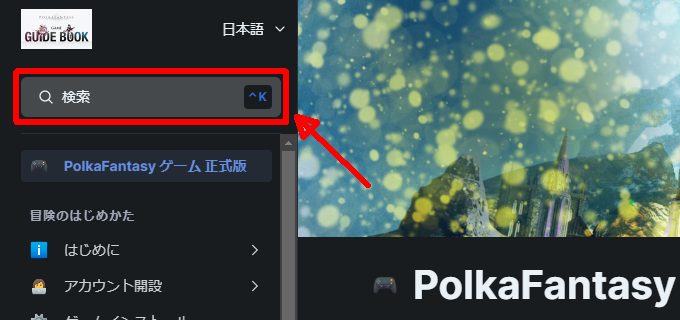
<div align="left"><figure><img src="/files/vKbttoELdhlrQgnp598y" alt="" width="510"><figcaption><p>検索欄をクリック</p></figcaption></figure></div>

キーワードを入力すると、関連するページの候補が表示されます。

<div align="left"><figure><img src="/files/3e6fDt3zGSKp4t22YGGJ" alt="" width="519"><figcaption><p>キーワードを入力（例：「パスワード」）</p></figcaption></figure></div>

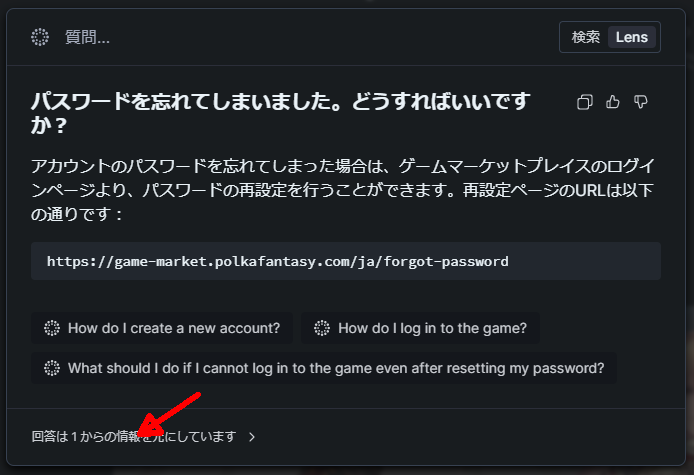
または、質問を入力してEnterキーをクリックするか「Lens」ボタンをクリックすると、AIがマニュアル全体を参照して回答します。

回答の左下をクリックすると、回答のもとになっているページを開くことができます。

<div align="left"><figure><img src="/files/z9WcMNqmrHxAxil1W2uf" alt="" width="516"><figcaption><p>AI検索</p></figcaption></figure></div>

不明点が解決しない場合は、②へ進んでください。

### ② 公式Discordで聞いてみる

まずは、公式Discordサーバーを開きます。

サーバーにまだ参加していない場合は、以下の手順で参加します。

* 招待リンクをクリック：<https://discord.gg/QK4XQWPQUq>\
  （Discordを初めて使う方は、先に[こちら](https://support.discord.com/hc/ja/articles/360033931551-%E3%81%AE%E5%A7%8B%E3%82%81%E6%96%B9)を参考にアカウント作成～電話番号認証を完了してください）
* サーバールールを読み、同意する場合はボタンをクリックしてください。
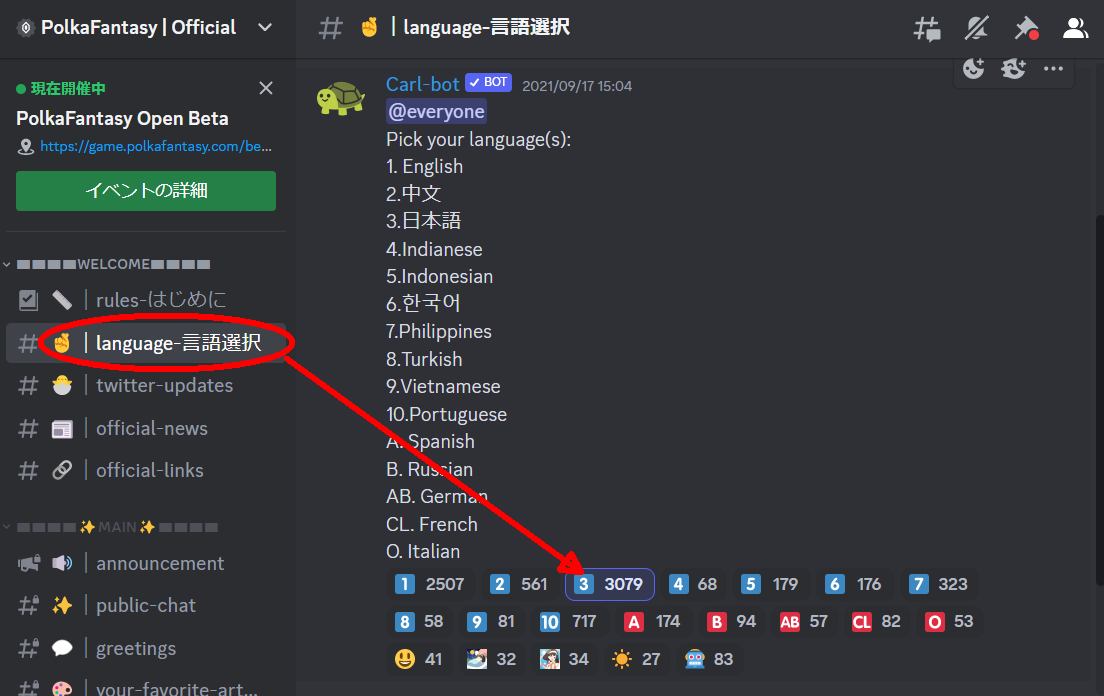
* 「🤞｜language-言語選択」チャンネルから言語を選択（日本語の場合は3️⃣をクリック）すると、日本コミュニティのチャンネルに参加できます。<br>

  <div align="left"><figure><img src="/files/1EPBijUcZwdY4o9VS29n" alt="" width="563"><figcaption><p>言語選択</p></figcaption></figure></div>
* 「▬▬▬▬🔰はじめに▬▬▬▬」と書いてある欄のチャンネルを読んでみてください。

「💫｜雑談部屋」チャンネルや「🔰初心者向けのお喋りベア！」チャンネルで質問を投稿してみましょう。サーバー管理人や、他のメンバーが回答してくれるはずです。

それでも不明点が解決しない場合は、③に進んでください。

### ③ チケットでお問合せ

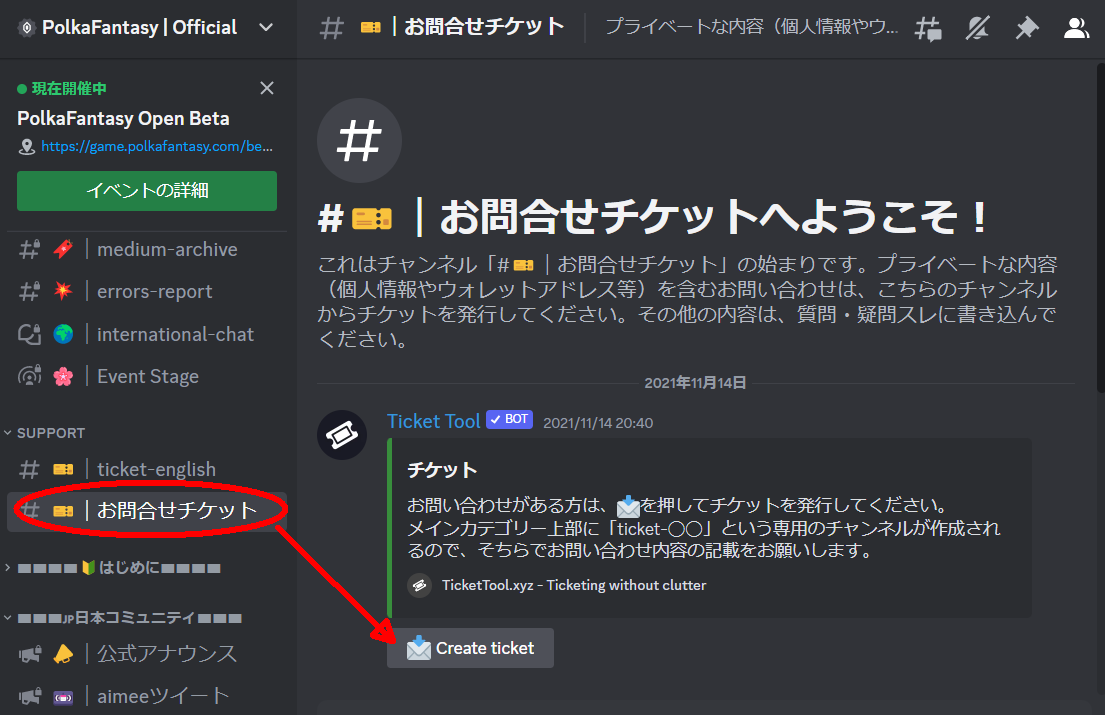
「#🎫｜お問合せチケット」チャンネルで”📥Create ticket"ボタンをクリックすると、PolkaFantasyチームに直接お問合せができるチケットを発行できます。

<div align="left"><figure><img src="/files/ZJ1vHNLOc2V2Kv9sQWQ4" alt="" width="563"><figcaption><p>お問合せチケット</p></figcaption></figure></div>

ウォレットアドレスなど個人情報を含むお問合せの際はぜひご活用ください。


---

# Agent Instructions: Querying This Documentation

If you need additional information that is not directly available in this page, you can query the documentation dynamically by asking a question.

Perform an HTTP GET request on the current page URL with the `ask` query parameter:

```
GET https://polkafantasy.gitbook.io/official/jp/begin/help.md?ask=<question>
```

The question should be specific, self-contained, and written in natural language.
The response will contain a direct answer to the question and relevant excerpts and sources from the documentation.

Use this mechanism when the answer is not explicitly present in the current page, you need clarification or additional context, or you want to retrieve related documentation sections.